Stealing the Mac
Updated:
Filed under:
Tagged:
Previously, I’ve blogged about my super cool Mac Pro (which, at present, is serving as an ad-hoc shelf for my much smaller server). That post actually ended up with a massive chunk cut out, because it was getting too darn long. But it’s a fun story in and of itself, so here we are!
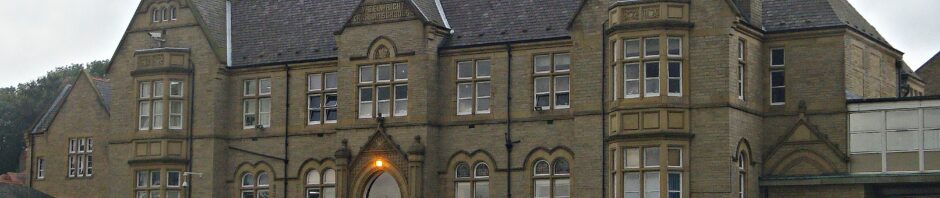
I spent the last years of my full-time education in a little place called Batley School of Art. Which wasn’t in Batley, and it wasn’t strictly a school, but that’s not important right now. To get there, if you’ll pardon my old man ramblings, I had to quite literally go uphill both ways. My parents’ house is about halfway up a massive hill, and college was also up a very large hill. In between those two locations, there was about a 20-minute bus journey, a 15-minute train journey, potentially another short bus journey depending on the weather, and a whole heap of walking and waiting. At the time, I was probably the fittest I’ve ever been – not that I felt it.
I graduated in 2017, and the place shut down not long after. Without going to deep into that particular topic, the key takeaway is that they were already hauling stuff out and packing up shop while I was still wrapping up my final major project; and amongst the “stuff” superfluous to the designs of Kirklees College were the school’s array of Apple Mac computers.
So, within the last few weeks of term, I hatched a plan. Well, it wasn’t really a plan… it was more asking various tutors if those Macs were going spare, and if anyone would mind if I liberated one. Turns out, nobody minded one bit – they were probably all bitter that the place they’d worked and poured so much of their time into was being torn about aroud them, and for good reason. Point is, I got as much permission as I could before making my move.
Discretion wasn’t exactly on the cards that day, and I had no real way of hiding what I was doing. The room with all the Mac Pros happened to have a class in that day; but I was told that as long as I didn’t disrupt anyone, nobody really cared what I did.
So, at least one tutor and a whole class of HND kids witnessed my perfect crime… as did another tutor, who just laughed when he saw me. Ah, Warren… wonder what he’s doing now. Anyway: I got it out of the building as smoothly as one could hope for.
But getting it out of the building was just the start. You see… at the time, I didn’t own a car. And if my journey to and from college sounded arduous before, try doing it while carrying 20kg of cumbersome computer. Plus my backpack. Through two towns with questionable reputations.
And now imagine doing it again because that’s just the sort of person I am. Because while a Mac Pro is cool and all, they also had some classic PowerMacs which are even cooler!
Slice-of-life blogging aside, I got myself a Mac Pro and it was a Very Cool item to have. For a while, I used it for its intended purpose; it still had Adobe CS6 installed, so it was the ideal system when my friends and I tried to get our own graphic design business going. And then again, when I tried to go solo. Trouble is, I’m not a MacOS fan, and I just found it very frustrating to work with… so, for most of the time I’ve had it, it’s been tucked away, unused.
Anyway, a bit after that, I did an apprenticeship in IT. During a meeting with Malcolm, my… I think they called ’em skills coaches or something like that? we got to talking about all the various systems I had, and the Mac came up. He was quite envious, saying that it actually makes for a really good server – not a particularly helpful statement at the time since I’d already bought a server to help with my studies.
That was almost six years ago. Yikes! Since then, times have changed quite a bit, and the server I bought isn’t really fit for purpose any more. I won’t get too deeply into why, because otherwise this post’s gonna go on forever; but it was at this point, I remembered Malcolm’s erudite wisdom. A touch of research into my particular model of Mac revealed that it’s built with server hardware; mainly the Intel Xeon processor and error-correcting RAM.
A Xeon from 2012 and only 3GB of RAM, mind you; but it was a start!
It was also around the time the whole ‘immutable’ operating system concept came about. I’d been tinkering with Docker containers on my old server, and they’re a bit more mature now than they were in 2018; so much so that practically everything I want to run can go into a container.
With all that backstory outta the way: I decided to use my Mac as a server, running OpenSUSE MicroOS. It’s actually quite surprising how well it went – I was expecting to have to jump through all the hoops to even get it to install, but incredibly, it Just Worked!
3GB RAM (which quickly turned into 2GB, as one of the DIMMs failed on me) is not a lot to play with. I managed to get the system going, but it’d run out of memory and die very ungracefully once I tried to do more than one thing at once with it. Kind of annoying.
So, weird thing. I did plenty of research to make sure I was getting the right upgrades for my machine. I wanted the best possible processor for it, and… well, a bit more RAM. It’s a bit unclear just how much RAM you can have, and in what configuration. You see, my Mac currently has a single Intel Xeon W3530. According to what I found online (mainly from various Mac forum posts), my system would not be able to support more than 8GB per slot. If I upgraded to a Xeon X5690 (or similar), it’d trick the system into thinking it was configured with dual processors, and allow me to install 16GB per slot.
Confusing, right?
And not even correct, as it turns out. I’m guessing that if it was still running MacOS, it’d be a lot more restrictive. But MicroOS doesn’t seem to care. As such, I got two sticks of 16GB ECC RAM yesterday, and it’s worked fine.
Anyway, that’s the tale of how I received my Mac Pro, and what I did with it.